SIM Information
The SIM Information screen displays detailed information about the selected SIM card. This feature is only available when GSM Signal Monitor is running.
Fields
Each field is clickable. Clicking it will copy its content to the clipboard.
Line Number
 Line Number reffers to the phone number associated with the SIM card. It is the unique mobile number assigned by the service provider for making and
receiving calls, sending text messages, and accessing data services.
Line Number reffers to the phone number associated with the SIM card. It is the unique mobile number assigned by the service provider for making and
receiving calls, sending text messages, and accessing data services.
If you see Not stored on SIM, it means that the line number is not saved directly on the SIM card by your mobile network provider. In this case GSM Signal Monitor cannot retrieve and display the number because it reads the line number specifically from the SIM card itself.
Voicemail Number

Voicemail Number refers to the phone number used to access your voicemail service. It is typically assigned by your service provider and allows you to listen to and manage your voicemail messages.
If you see Not stored on SIM, it means that the voicemail number is not saved directly on the SIM card by your mobile network provider. In this case, GSM Signal Monitor cannot retrieve and display the voicemail number because it reads the number specifically from the SIM card itself.
Dual SIM Devices
If you have a dual SIM device and see the same voicemail number for both SIM cards, it means that the voicemail number is globally configured in the device settings.
Serial Number (ICCID)

The Serial Number (ICCID) is the unique identifier for your SIM card. It is a long number printed on the SIM card and used to distinguish it from other SIM cards globally.
This number is assigned by the SIM card manufacturer and helps your mobile carrier recognize your specific SIM card for services like activation and replacement.
Note: The ICCID is purely for identifying the SIM card and is different from your phone number or subscriber ID.
Accessing ICCID on Android 10 or Newer
On Android 10 or newer, ICCID information is restricted and cannot be accessed directly by GSM Signal Monitor. Instead, the app provides an alternative method (works on most devices) for viewing your ICCID using a special code in your dialer app.
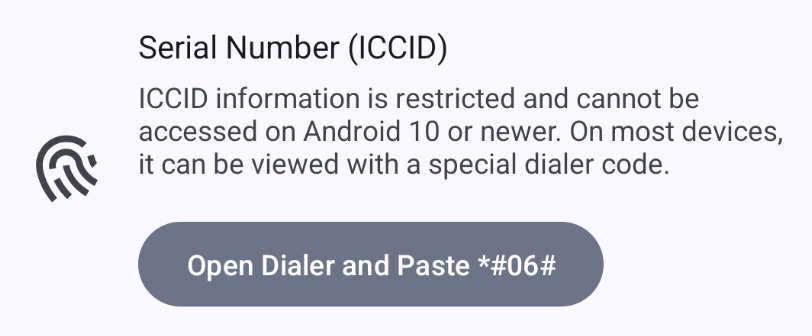
- Tap the “Open Dialer and Paste *#06#” button.
- This will copy the special code (*#06#) and open your phone's dialer.
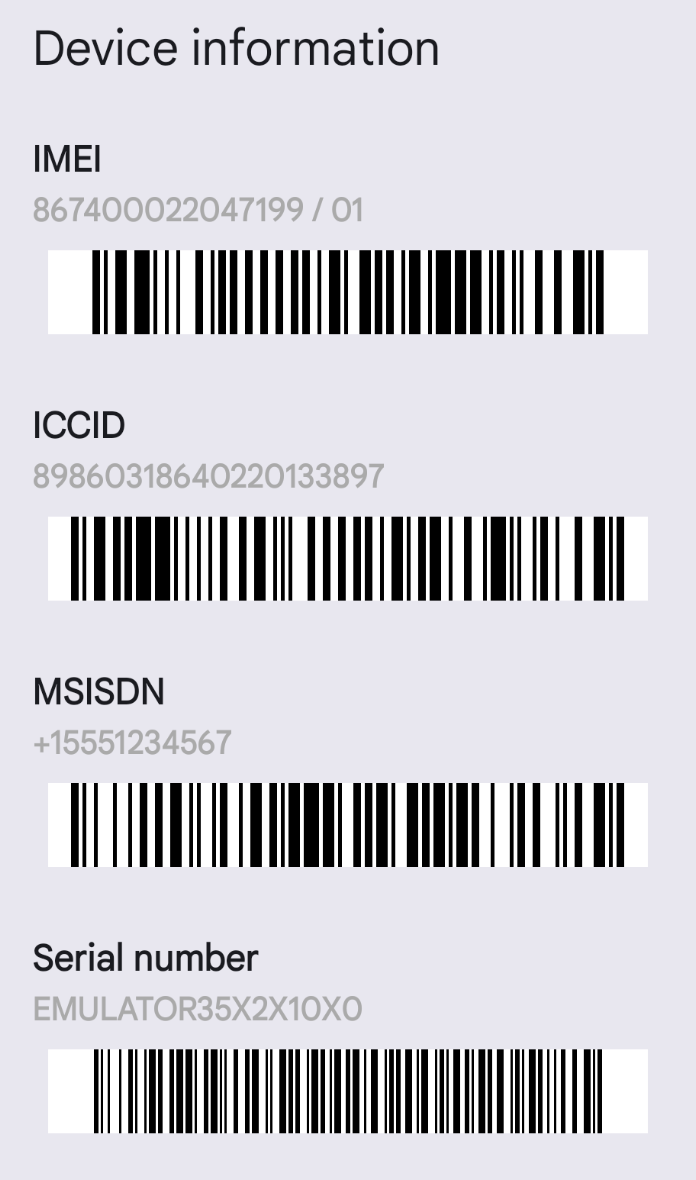
- Paste the code in the dialer.
A dialog will appear displaying your ICCID and other device-related information.
Subscriber ID (IMSI)

The Subscriber ID (IMSI) is a unique identifier associated with your SIM card, assigned by your mobile network provider. This number helps identify your subscription on the mobile network and is used for network authentication purposes.
Note: On devices running Android 10 or newer, this value is not accessible due to privacy and security restrictions. Instead, the app will display "Not available".
This information is typically used for network diagnostics and should be kept private to protect your mobile identity.
Operator Name

The Operator Name shows the name of the mobile operator currently providing service to the SIM card.
- Home Network: If you are on your home network (no roaming), this will display the name of your service provider, such as T-Mobile or Vodafone.
- Roaming: If roaming is active, this will show the name of the service provider handling your roaming connection.
If “Emergency calls only” is displayed, it means the SIM card is connected to an operator for emergency calls only. In this case, you won't be able to make regular calls, send messages, or use mobile data.
Operator Code

The Operator Code is a unique identifier for the mobile operator currently providing service to your SIM card.
- If you are on your home network, this code represents your service provider.
- If you are roaming, this code represents the mobile operator that is handling your connection while you are outside your home network.
This code is typically used for network identification and troubleshooting.
Country
 The Country field shows the country of origin for your home mobile operator—the provider that issued your SIM card. This value remains the same regardless of the
network operator currently providing service while you are roaming.
The Country field shows the country of origin for your home mobile operator—the provider that issued your SIM card. This value remains the same regardless of the
network operator currently providing service while you are roaming.
If you see Not available, it means this information is not accessible on your device. This most commonly occurs on Android versions 5.1 through 7.0.
Data Roaming

The Data Roaming field shows whether mobile data is allowed to be used while roaming.
- Enabled: Mobile data is allowed when you are outside your home network.
- Disabled: Mobile data is blocked while roaming to help avoid extra charges.
To enable or disable mobile data while roaming, go to your phone's system settings under Mobile Networks or SIM Settings.
Network Type

The Network Type field shows the type of mobile network the SIM card is currently connected to. Supported network types (e.g., 4G, 5G) may vary between devices and mobile carriers.
If Unknown is displayed in this field, it means the SIM card is not currently connected to any network. This often occurs when:
- The SIM card is out of service, which is usually indicated by an “Out of Service” message at the top left of the screen below the SIM number.
- The device is in Airplane Mode, in which case the field may still display the last known network type before Airplane Mode was activated.
Slot Index

The Slot Index refers to the number of the physical slot where the SIM card is inserted in the device. Slot indexes start counting from zero. For example, if your device has two SIM slots and you see 1 as the slot index, it means the SIM card is inserted in the second physical slot.
Software Version

The Software Version is a number that identifies the version of the internal software used by your phone to manage its mobile network connections. It's similar to how apps and operating systems have version numbers. For some phones, this might be shown as part of the device's IMEI (a unique ID for your phone).
If you see Not available it means this information is not accessible on your device. This could be because:
- The mobile network or manufacturer doesn't store this version in an accessible way.
- Your phone doesn't support showing this information.
Software Version may be usefull to your service provider for troubleshooting purposes.